gemini
Effetto Mondo Minecraft
Tu resti fotorealistico mentre lo sfondo viene ricostruito come un fedele mondo voxel di Minecraft; nametag e UI di gioco opzionali.
@voxelworld11 luglio 2026867 Mi piace134 commenti
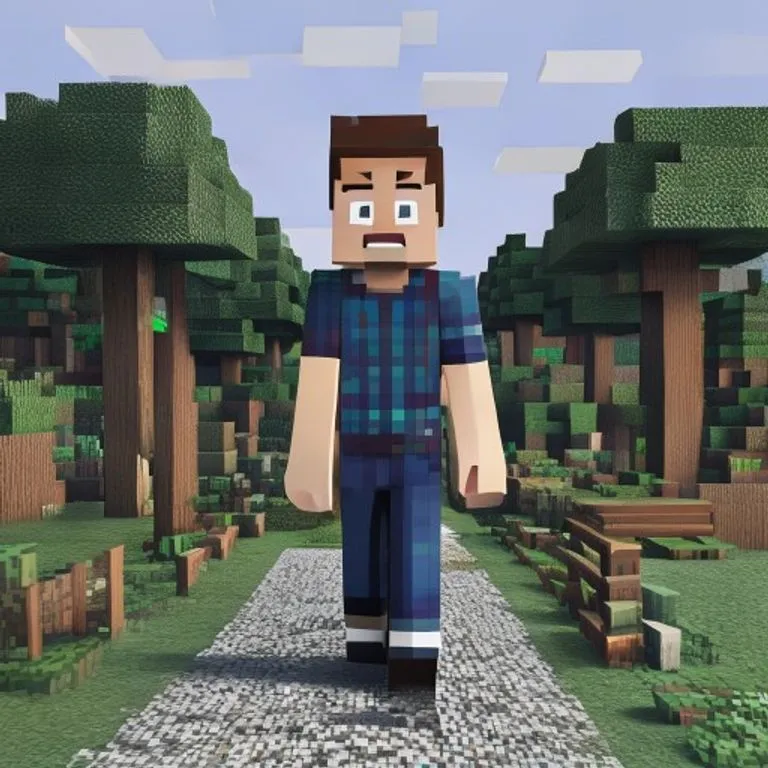
Prompt
Keep the human subject 100 percent photorealistic and untouched. No pixel filter, no stylization, no lighting remap on skin. Preserve exact facial detail, pores, fabric weave, hair strands, natural shadows. Expression and posture remain identical.

Rebuild the background as a structurally accurate Minecraft voxel replica of the original location. Do not reinterpret. Match the exact layout, spacing, depth, and geometry from the reference image. If there is a path, replicate its exact curve and width using gravel or dirt blocks. If there are trees, match trunk positions, height ratios, canopy spread using appropriate log and leaf blocks. If there are buildings, recreate their silhouette, window placement, roof angle using Minecraft block geometry. If there are rocks, benches, fences, signs, convert them into block equivalents but maintain their exact position and proportion relative to the subject.

Perspective must match the original photo perfectly. Horizon line, camera height, focal distance, framing, subject scale all identical. Any object physically touching the subject must convert into Minecraft logic.

Optional (nametag): Add the name [NAME] floating directly above the human subject's head like a Minecraft in-game player name tag. Place the name in a small white pixel font centered above the head, inside a subtle semi-transparent dark charcoal rectangle with soft edges and a faint black drop shadow. Keep it clean, readable, and naturally integrated into the scene. Do not make it too large, do not cover the face, and do not add any other text.

Optional (game UI): Add subtle Minecraft UI near the edges, such as a small achievement pop-up, tiny hearts, hunger bar, hotbar, or inventory-style icon. Keep the UI minimal, clean, and naturally integrated. Do not cover the subject.
Come usare questo prompt
Il prompt “Effetto Mondo Minecraft” è un punto di partenza pronto per gemini. Aggiungi il tuo obiettivo e il contesto per ottenere un risultato più pertinente.
- 1Copia il prompt nello strumento di IA scelto.
- 2Sostituisci segnaposto e dettagli generici con le tue informazioni.
- 3Controlla il primo risultato e perfeziona tono, lunghezza o formato.
Prompt correlati
Scopri altri prompt collegati per piattaforma, categoria o tag.
geminiEffetto Schermata di Caricamento GTA VITrasforma la tua foto in un'illustrazione in stile artwork promozionale GTA VI / Vice City: contorni netti, cel shading e colori vivaci.geminiScreenshot In-Game di GTA VRicostruisce la tua foto come un autentico render 3D in-game di GTA V — non un filtro, una ricostruzione poligonale completa.geminiEffetto Minifigure LEGOTrasforma le persone nella tua foto in autentiche minifigure LEGO, ricostruendo la scena come un diorama LEGO realistico.geminiEffetto Cibo MinecraftConverte solo cibo e bevande della tua foto in blocchi voxel di Minecraft, mentre persone e ambiente restano realistici.geminiEffetto Dipinto a OlioTrasforma la tua foto in un dipinto a olio d'arte preservando composizione, angolazione, luce e colori.chatgptScatto dal BackstageCrea una foto realistica dal set del tuo film preferito: troupe, microfono boom e caos del set inclusi.
#art#creative#photo-edit
Crea il tuo prompt
Genera gratuitamente prompt ottimizzati per ChatGPT, Claude, Gemini e oltre 50 piattaforme.
Inizia gratis