gemini
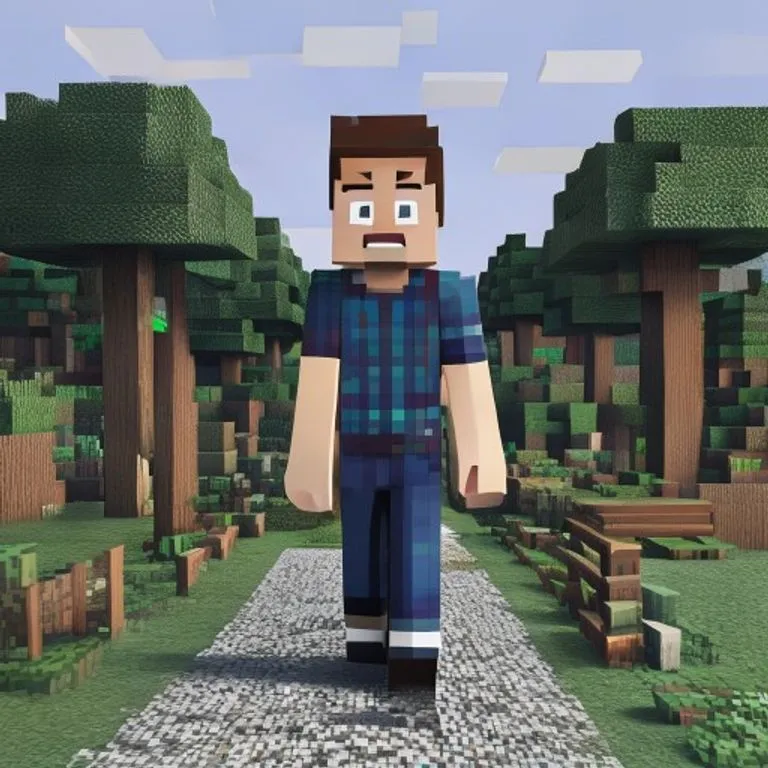
Efeito Mundo Minecraft
Você permanece fotorrealista enquanto o fundo é reconstruído como um mundo voxel fiel de Minecraft; nametag e interface opcionais.
@voxelworld11 de julho de 2026867 curtidas134 comentários
Prompt
Keep the human subject 100 percent photorealistic and untouched. No pixel filter, no stylization, no lighting remap on skin. Preserve exact facial detail, pores, fabric weave, hair strands, natural shadows. Expression and posture remain identical.

Rebuild the background as a structurally accurate Minecraft voxel replica of the original location. Do not reinterpret. Match the exact layout, spacing, depth, and geometry from the reference image. If there is a path, replicate its exact curve and width using gravel or dirt blocks. If there are trees, match trunk positions, height ratios, canopy spread using appropriate log and leaf blocks. If there are buildings, recreate their silhouette, window placement, roof angle using Minecraft block geometry. If there are rocks, benches, fences, signs, convert them into block equivalents but maintain their exact position and proportion relative to the subject.

Perspective must match the original photo perfectly. Horizon line, camera height, focal distance, framing, subject scale all identical. Any object physically touching the subject must convert into Minecraft logic.

Optional (nametag): Add the name [NAME] floating directly above the human subject's head like a Minecraft in-game player name tag. Place the name in a small white pixel font centered above the head, inside a subtle semi-transparent dark charcoal rectangle with soft edges and a faint black drop shadow. Keep it clean, readable, and naturally integrated into the scene. Do not make it too large, do not cover the face, and do not add any other text.

Optional (game UI): Add subtle Minecraft UI near the edges, such as a small achievement pop-up, tiny hearts, hunger bar, hotbar, or inventory-style icon. Keep the UI minimal, clean, and naturally integrated. Do not cover the subject.
Como usar este prompt
O prompt “Efeito Mundo Minecraft” é um ponto de partida pronto para gemini. Adicione seu objetivo e contexto para obter um resultado mais relevante.
- 1Copie o prompt e cole na ferramenta de IA escolhida.
- 2Substitua marcadores e detalhes genéricos pelas suas informações.
- 3Revise o primeiro resultado e refine o tom, o tamanho ou o formato.
Prompts relacionados
Explore outros prompts relacionados por plataforma, categoria ou etiqueta.
geminiEfeito Tela de Carregamento GTA VITransforma sua foto em ilustração no estilo da arte promocional de GTA VI / Vice City: contornos marcados, cel shading e cores vibrantes.geminiScreenshot In-Game de GTA VReconstrói sua foto como um autêntico render 3D dentro do jogo GTA V — não um filtro, uma reconstrução poligonal completa.geminiEfeito Minifigura LEGOTransforma as pessoas da sua foto em minifiguras LEGO autênticas, reconstruindo a cena como um diorama LEGO realista.geminiEfeito Comida MinecraftConverte apenas a comida e as bebidas da sua foto em blocos voxel de Minecraft enquanto pessoas e ambiente permanecem realistas.geminiEfeito Pintura a ÓleoTransforma sua foto em uma pintura a óleo de belas-artes preservando composição, ângulo, iluminação e cores.chatgptFoto de BastidoresCria uma foto realista dos bastidores do seu filme favorito: equipe, microfone boom e caos de set incluídos.
#art#creative#photo-edit
Crie seu próprio prompt
Gere prompts otimizados gratuitamente para ChatGPT, Claude, Gemini e mais de 50 plataformas.
Começar grátis