gemini
Minecraft Dünyası Efekti
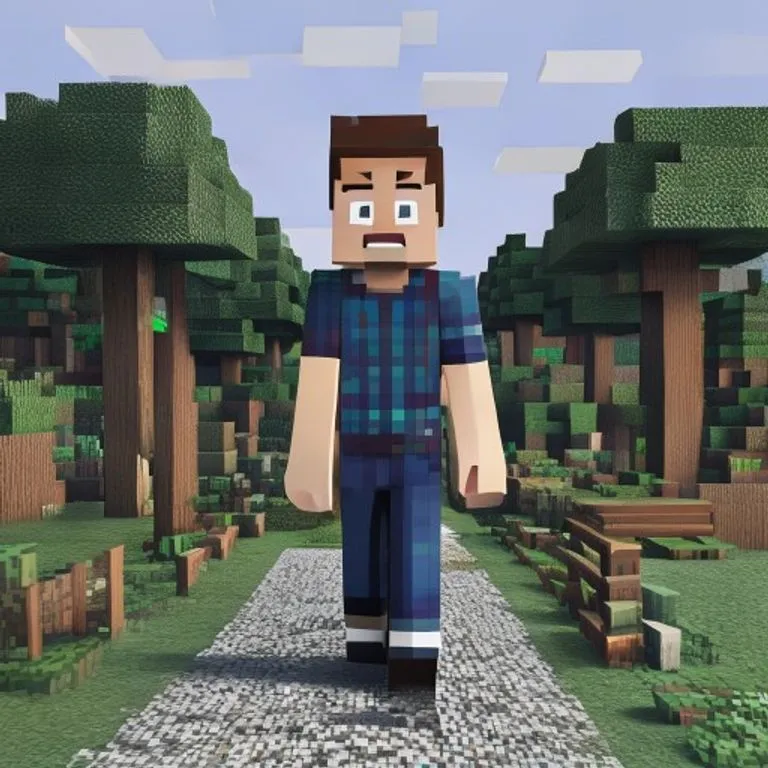
Siz fotoğraftaki gibi gerçek kalırken arka planı birebir Minecraft voksel dünyasına dönüştürür; isim etiketi ve oyun arayüzü opsiyonlu.
@voxelworld11 Temmuz 2026867 beğeni134 yorum
Prompt
Keep the human subject 100 percent photorealistic and untouched. No pixel filter, no stylization, no lighting remap on skin. Preserve exact facial detail, pores, fabric weave, hair strands, natural shadows. Expression and posture remain identical.

Rebuild the background as a structurally accurate Minecraft voxel replica of the original location. Do not reinterpret. Match the exact layout, spacing, depth, and geometry from the reference image. If there is a path, replicate its exact curve and width using gravel or dirt blocks. If there are trees, match trunk positions, height ratios, canopy spread using appropriate log and leaf blocks. If there are buildings, recreate their silhouette, window placement, roof angle using Minecraft block geometry. If there are rocks, benches, fences, signs, convert them into block equivalents but maintain their exact position and proportion relative to the subject.

Perspective must match the original photo perfectly. Horizon line, camera height, focal distance, framing, subject scale all identical. Any object physically touching the subject must convert into Minecraft logic.

Optional (nametag): Add the name [NAME] floating directly above the human subject's head like a Minecraft in-game player name tag. Place the name in a small white pixel font centered above the head, inside a subtle semi-transparent dark charcoal rectangle with soft edges and a faint black drop shadow. Keep it clean, readable, and naturally integrated into the scene. Do not make it too large, do not cover the face, and do not add any other text.

Optional (game UI): Add subtle Minecraft UI near the edges, such as a small achievement pop-up, tiny hearts, hunger bar, hotbar, or inventory-style icon. Keep the UI minimal, clean, and naturally integrated. Do not cover the subject.
Bu prompt nasıl kullanılır?
“Minecraft Dünyası Efekti” promptu gemini için hazır bir başlangıç noktasıdır. Daha isabetli sonuç almak için kendi amacınızı ve bağlamınızı ekleyin.
- 1Promptu kopyalayıp hedef AI aracına yapıştırın.
- 2Köşeli parantezleri ve genel ifadeleri kendi bilgilerinizle değiştirin.
- 3İlk sonucu inceleyin; ton, uzunluk veya format beklentinizi belirterek yineleyin.
İlgili promptlar
Aynı platform, kategori veya etiketlerle ilişkili diğer hazır promptlar.
geminiGTA VI Yükleme Ekranı EfektiFotoğrafınızı GTA VI / Vice City tanıtım sanatı tarzında illüstrasyona çevirir: kalın konturlar, cel shading ve canlı renklerle.geminiGTA V Oyun İçi Ekran GörüntüsüFotoğrafınızı filtre değil, gerçek bir GTA V oyun içi ekran görüntüsü gibi 3D render olarak yeniden inşa eder.geminiLEGO Minifigür EfektiFotoğraftaki kişileri gerçekçi LEGO minifigürlerine dönüştürür; poz, kıyafet ve sahneyi LEGO diorama olarak yeniden kurar.geminiMinecraft Yemek EfektiFotoğraftaki yalnızca yemek ve içecekleri Minecraft voksel bloklarına çevirir; insanlar ve ortam gerçekçi kalır.geminiYağlı Boya Tablo EfektiFotoğrafı kompozisyon, açı, ışık ve renkleri koruyarak usta işi bir yağlı boya tabloya dönüştürür.chatgptKamera Arkası ÇekimiSizi favori filminizin setinde gösteren gerçekçi bir kamera arkası fotoğrafı üretir: ekip, boom mikrofon ve set kaosuyla.
#art#creative#photo-edit
Kendi promptunu oluştur
ChatGPT, Claude, Gemini ve 50+ platform için ücretsiz optimize edilmiş promptlar üret.
Ücretsiz Başla