gemini
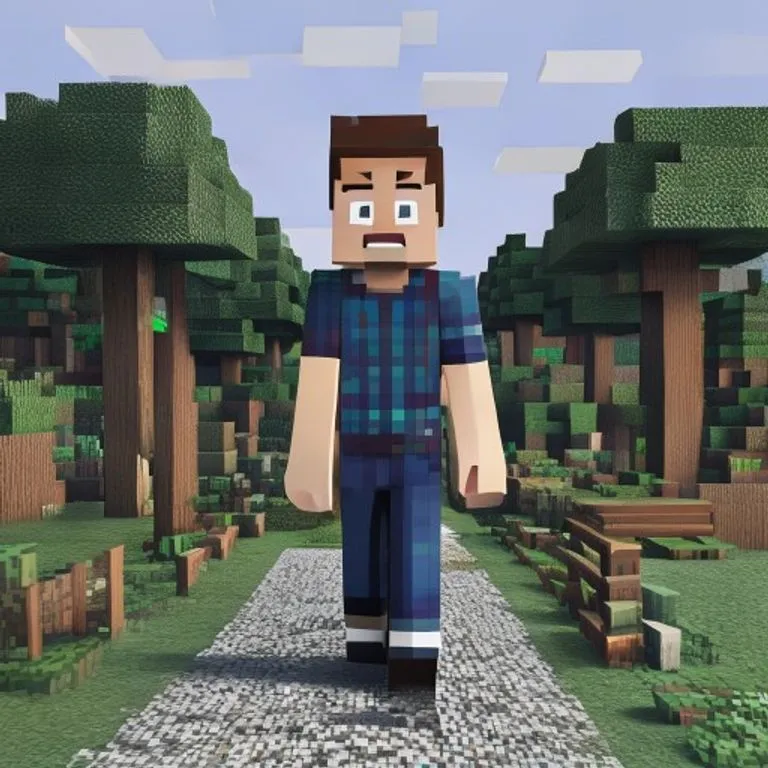
Minecraft-Welt-Effekt
Du bleibst fotorealistisch, während der Hintergrund als exakte Minecraft-Voxelwelt nachgebaut wird; optional mit Namensschild und Spiel-UI.
@voxelworld11. Juli 2026867 Likes134 Kommentare
Prompt
Keep the human subject 100 percent photorealistic and untouched. No pixel filter, no stylization, no lighting remap on skin. Preserve exact facial detail, pores, fabric weave, hair strands, natural shadows. Expression and posture remain identical.

Rebuild the background as a structurally accurate Minecraft voxel replica of the original location. Do not reinterpret. Match the exact layout, spacing, depth, and geometry from the reference image. If there is a path, replicate its exact curve and width using gravel or dirt blocks. If there are trees, match trunk positions, height ratios, canopy spread using appropriate log and leaf blocks. If there are buildings, recreate their silhouette, window placement, roof angle using Minecraft block geometry. If there are rocks, benches, fences, signs, convert them into block equivalents but maintain their exact position and proportion relative to the subject.

Perspective must match the original photo perfectly. Horizon line, camera height, focal distance, framing, subject scale all identical. Any object physically touching the subject must convert into Minecraft logic.

Optional (nametag): Add the name [NAME] floating directly above the human subject's head like a Minecraft in-game player name tag. Place the name in a small white pixel font centered above the head, inside a subtle semi-transparent dark charcoal rectangle with soft edges and a faint black drop shadow. Keep it clean, readable, and naturally integrated into the scene. Do not make it too large, do not cover the face, and do not add any other text.

Optional (game UI): Add subtle Minecraft UI near the edges, such as a small achievement pop-up, tiny hearts, hunger bar, hotbar, or inventory-style icon. Keep the UI minimal, clean, and naturally integrated. Do not cover the subject.
So verwendest du diesen Prompt
Der Prompt „Minecraft-Welt-Effekt“ ist ein fertiger Ausgangspunkt für gemini. Ergänze dein Ziel und deinen Kontext, um passendere Ergebnisse zu erhalten.
- 1Prompt kopieren und in das gewünschte KI-Tool einfügen.
- 2Platzhalter und allgemeine Angaben durch eigene Informationen ersetzen.
- 3Erstes Ergebnis prüfen und Ton, Länge oder Format weiter verfeinern.
Ähnliche Prompts
Weitere Prompts mit verwandten Plattformen, Kategorien oder Tags.
geminiGTA-VI-Ladebildschirm-EffektVerwandelt dein Foto in eine Illustration im GTA-VI/Vice-City-Promo-Stil: kräftige Konturen, Cel-Shading und lebendige Farben.geminiGTA-V-In-Game-ScreenshotBaut dein Foto als authentischen GTA-V-In-Game-3D-Render nach — kein Filter, sondern eine vollständige polygonale Rekonstruktion.geminiLEGO-Minifigur-EffektVerwandelt Personen auf deinem Foto in authentische LEGO-Minifiguren und baut die Szene als realistisches LEGO-Diorama nach.geminiMinecraft-Essen-EffektVerwandelt nur Essen und Getränke auf deinem Foto in Minecraft-Voxelblöcke, während Menschen und Umgebung realistisch bleiben.geminiÖlgemälde-EffektVerwandelt dein Foto in ein kunstvolles Ölgemälde und bewahrt dabei Komposition, Winkel, Licht und Farben.chatgptBehind-the-Scenes-AufnahmeErstellt ein realistisches Set-Foto aus deinem Lieblingsfilm: mit Crew, Tonangel und Set-Chaos.
#art#creative#photo-edit
Eigenen Prompt erstellen
Erstelle kostenlos optimierte Prompts für ChatGPT, Claude, Gemini und mehr als 50 Plattformen.
Kostenlos starten