gemini
マインクラフトワールドエフェクト
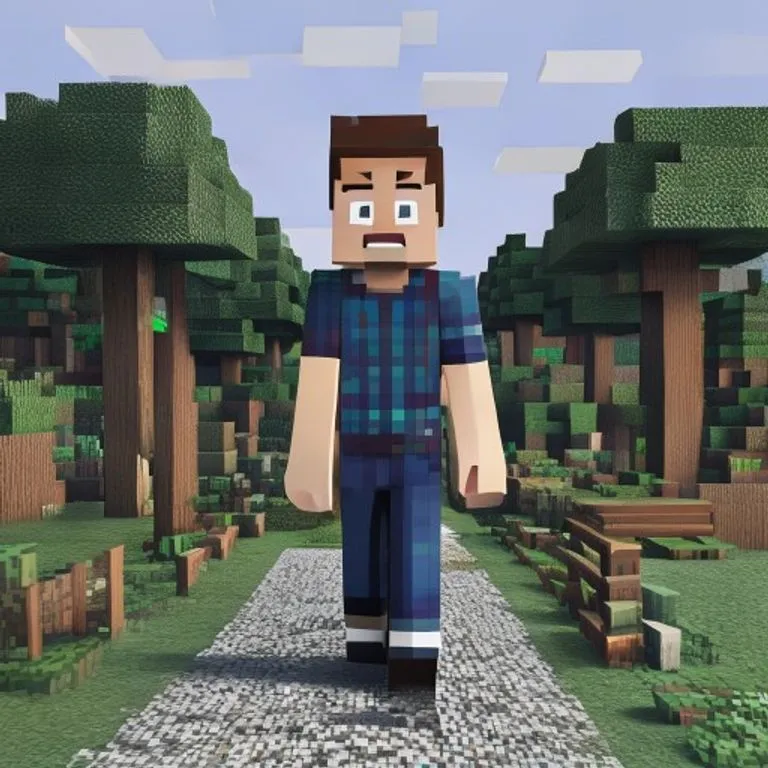
人物はフォトリアルのまま、背景を忠実なマインクラフトのボクセル世界に再構築。ネームタグやゲームUIもオプションで追加可能。
@voxelworld2026年7月11日867 いいね134 コメント
Prompt
Keep the human subject 100 percent photorealistic and untouched. No pixel filter, no stylization, no lighting remap on skin. Preserve exact facial detail, pores, fabric weave, hair strands, natural shadows. Expression and posture remain identical.

Rebuild the background as a structurally accurate Minecraft voxel replica of the original location. Do not reinterpret. Match the exact layout, spacing, depth, and geometry from the reference image. If there is a path, replicate its exact curve and width using gravel or dirt blocks. If there are trees, match trunk positions, height ratios, canopy spread using appropriate log and leaf blocks. If there are buildings, recreate their silhouette, window placement, roof angle using Minecraft block geometry. If there are rocks, benches, fences, signs, convert them into block equivalents but maintain their exact position and proportion relative to the subject.

Perspective must match the original photo perfectly. Horizon line, camera height, focal distance, framing, subject scale all identical. Any object physically touching the subject must convert into Minecraft logic.

Optional (nametag): Add the name [NAME] floating directly above the human subject's head like a Minecraft in-game player name tag. Place the name in a small white pixel font centered above the head, inside a subtle semi-transparent dark charcoal rectangle with soft edges and a faint black drop shadow. Keep it clean, readable, and naturally integrated into the scene. Do not make it too large, do not cover the face, and do not add any other text.

Optional (game UI): Add subtle Minecraft UI near the edges, such as a small achievement pop-up, tiny hearts, hunger bar, hotbar, or inventory-style icon. Keep the UI minimal, clean, and naturally integrated. Do not cover the subject.
このプロンプトの使い方
「マインクラフトワールドエフェクト」はgemini向けのすぐに使えるプロンプトです。目的や背景を追加すると、より適切な結果が得られます。
- 1プロンプトをコピーし、対象のAIツールに貼り付けます。
- 2プレースホルダーや一般的な内容を自分の情報に置き換えます。
- 3最初の結果を確認し、トーン、長さ、形式を調整します。
関連プロンプト
プラットフォーム、カテゴリ、タグが関連するプロンプトを探せます。
geminiGTA VIローディング画面エフェクト写真をGTA VI / Vice Cityのプロモアート風イラストに変換:太い輪郭線、セルシェーディング、鮮やかな色彩。geminiGTA Vゲーム内スクリーンショット写真をフィルターではなく、本物のGTA Vゲーム内3Dレンダーとしてポリゴンで完全再構築します。geminiLEGOミニフィグエフェクト写真の人物を本物のLEGOミニフィギュアに変換し、シーンをリアルなLEGOジオラマとして再構築します。geminiマインクラフトフードエフェクト写真の中の食べ物と飲み物だけをマインクラフトのボクセルに変換。人物と背景はリアルなまま維持します。gemini油絵エフェクト構図・アングル・光・色を保ったまま、写真を巨匠が描いたような本格的な油絵に変換します。chatgpt映画メイキングショット好きな映画の撮影現場のリアルな舞台裏写真を生成:スタッフ、ブームマイク、現場の混沌も込みで。
#art#creative#photo-edit