gemini
Minecraft World Effect
Keeps you photorealistic while rebuilding the background as an accurate Minecraft voxel world; optional nametag and game UI.
@voxelworldJuly 11, 2026867 likes134 comments
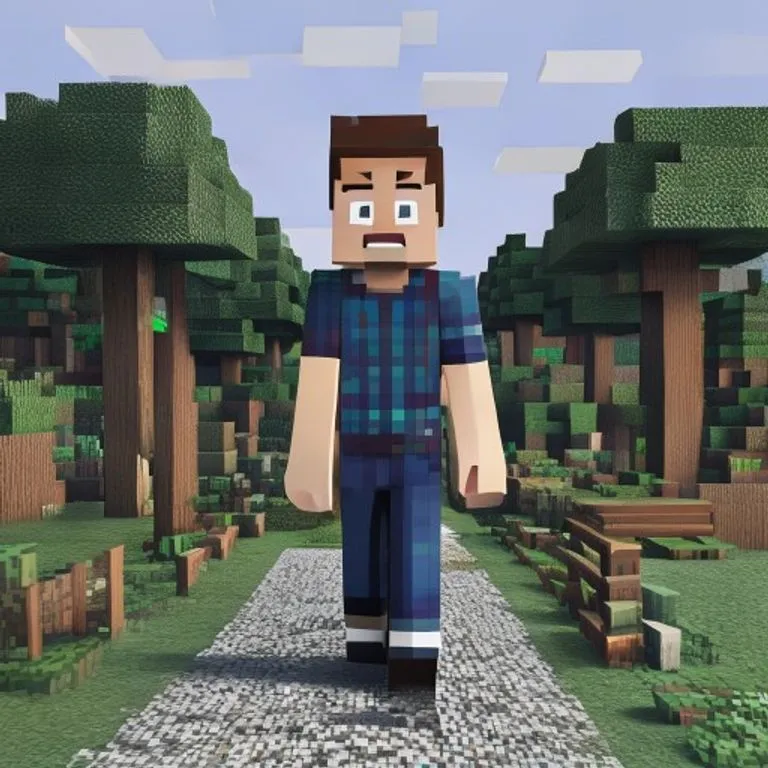
Prompt
Keep the human subject 100 percent photorealistic and untouched. No pixel filter, no stylization, no lighting remap on skin. Preserve exact facial detail, pores, fabric weave, hair strands, natural shadows. Expression and posture remain identical.

Rebuild the background as a structurally accurate Minecraft voxel replica of the original location. Do not reinterpret. Match the exact layout, spacing, depth, and geometry from the reference image. If there is a path, replicate its exact curve and width using gravel or dirt blocks. If there are trees, match trunk positions, height ratios, canopy spread using appropriate log and leaf blocks. If there are buildings, recreate their silhouette, window placement, roof angle using Minecraft block geometry. If there are rocks, benches, fences, signs, convert them into block equivalents but maintain their exact position and proportion relative to the subject.

Perspective must match the original photo perfectly. Horizon line, camera height, focal distance, framing, subject scale all identical. Any object physically touching the subject must convert into Minecraft logic.

Optional (nametag): Add the name [NAME] floating directly above the human subject's head like a Minecraft in-game player name tag. Place the name in a small white pixel font centered above the head, inside a subtle semi-transparent dark charcoal rectangle with soft edges and a faint black drop shadow. Keep it clean, readable, and naturally integrated into the scene. Do not make it too large, do not cover the face, and do not add any other text.

Optional (game UI): Add subtle Minecraft UI near the edges, such as a small achievement pop-up, tiny hearts, hunger bar, hotbar, or inventory-style icon. Keep the UI minimal, clean, and naturally integrated. Do not cover the subject.
How to use this prompt
The “Minecraft World Effect” prompt is a ready-made starting point for gemini. Add your own goal and context to make the result more relevant.
- 1Copy the prompt and paste it into the target AI tool.
- 2Replace bracketed placeholders and generic details with your own information.
- 3Review the first result, then refine the tone, length, or output format.
Related prompts
Explore more ready-made prompts with related platforms, categories, or tags.
geminiGTA VI Loading Screen EffectTurns your photo into GTA VI / Vice City promotional-art style illustration: bold outlines, cel shading and vibrant colors.geminiGTA V In-Game ScreenshotRebuilds your photo as an authentic GTA V in-game 3D render — not a filter, a full polygonal reconstruction.geminiLEGO Minifigure EffectTransforms people in your photo into authentic LEGO minifigures, rebuilding the scene as a realistic LEGO diorama.geminiMinecraft Food EffectConverts only the food and drinks in your photo into Minecraft voxel blocks while people and surroundings stay realistic.geminiOil Painting EffectTransforms your photo into a fine-art oil painting while preserving composition, angle, lighting and colors.chatgptBehind The Scenes ShotCreates a realistic behind-the-scenes photo from your favorite movie set: crew, boom mic and on-set chaos included.
#art#creative#photo-edit
Create your own prompt
Generate free optimized prompts for ChatGPT, Claude, Gemini and 50+ platforms.
Start for Free